ENGINEERING STUDY / CNCJS—02
Illustrative schematic · conceptual geometry
CNC Machining-Time Calculator
A standalone browser calculator for operation-level machining time, setup, rates, quantity, and cost assumptions.
An offline browser simulator for a documented subset of Siemens-style multi-axis NC commands and machine visualization.
THE CHALLENGE
NC programs need an accessible way to inspect axis motion and coordinate-transform intent before machine use.
KEY ENGINEERING DECISION
Parse only documented commands, make unsupported behavior explicit, and separate the machine configuration from program state.
Explore the engineering approach ↗Illustrative schematic · conceptual geometry.
01 / THE PROBLEM
NC programs need an accessible way to inspect axis motion and coordinate-transform intent before machine use.
02 / CONSTRAINTS
03 / ENGINEERING APPROACH
Parse only documented commands, make unsupported behavior explicit, and separate the machine configuration from program state.
Subset parser; Multi-axis state; AROT and transform handling; Animated toolpath; Machine configuration; JSONL diagnostics.
04 / DESIGN & IMPLEMENTATION
The prototype progressed through the v11 development lineage with an interactive machine and toolpath interface.
05 / VALIDATION
The tool supports software exploration of machining sequences. It requires interpreter and motion checks for the selected NC dialect and provides no collision-certified machine verification.
06 / OUTCOME
Demonstrates manufacturing-domain software design with explicit safety boundaries.
THE ENGINEERING PRINCIPLE
A plan or calculator is easier to trust when its units, quantity basis, setup assumptions and handoff documents are explicit. A numerical answer should be traceable to the inputs and method.
Which input changes the result most, and how would you compare the estimate with shop-floor observations?
Illustrative schematic · conceptual geometry
A standalone browser calculator for operation-level machining time, setup, rates, quantity, and cost assumptions.
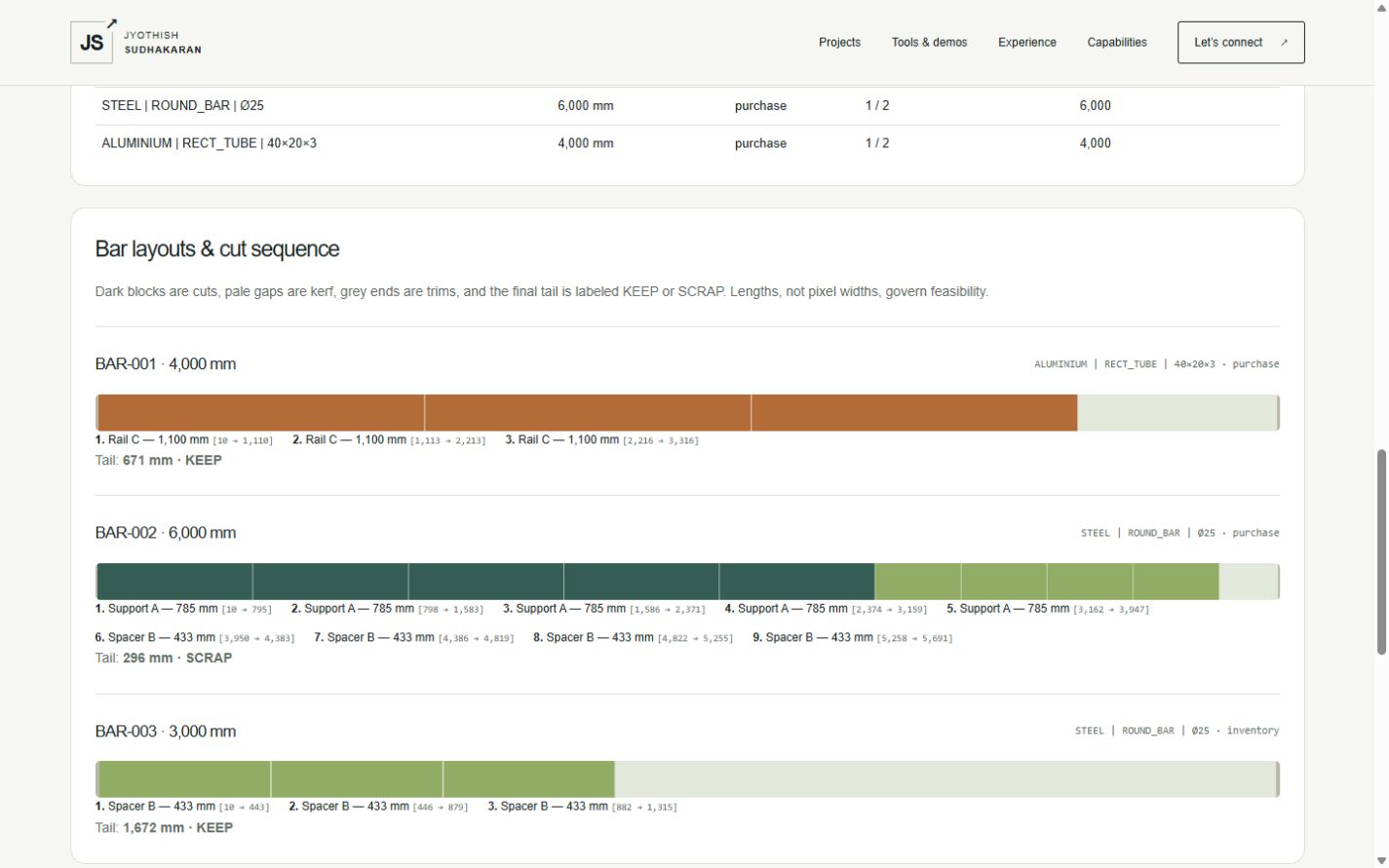
Software demonstration · synthetic job · browser companion to the Excel/VBA workflow
An Excel/VBA planning system that groups bar demand, compares stock plans, generates cutlists, and visualizes standard and optimized nests.
LET’S BUILD SOMETHING THAT WORKS
Considering a role in mechanical design, manufacturing methods,
fixture design, or estimation? Let’s connect.